01 · Owners and shared accounts
Owners and shared accounts
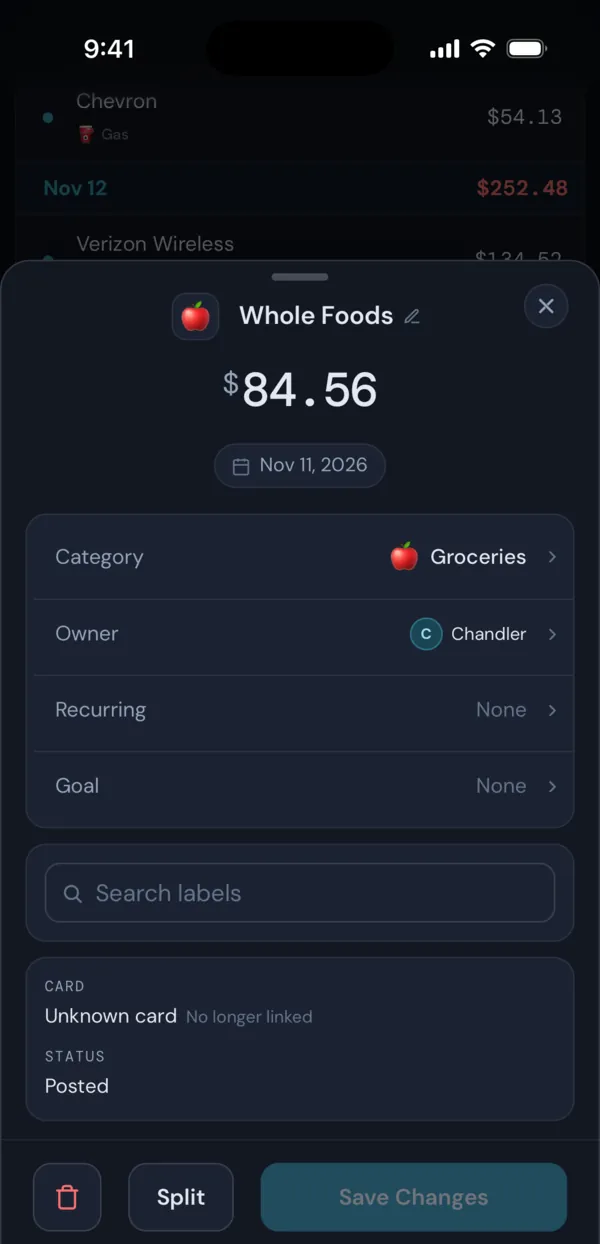
Open Settings > Profile, choose With a partner and enter their name. Then, in Settings > Linked Accounts, set each account to you, your partner or Both. Its transactions take that owner, and new ones arrive with it.
A purchase on a joint card that belongs to one of you can be changed on its own without changing the account. A transaction rule can set the owner for you.
On the Transactions page, the breakdown donut has a Per User view that splits spending by owner, and the Report Builder can break any report down by Owner.
02 · Split transactions
Split shared purchases
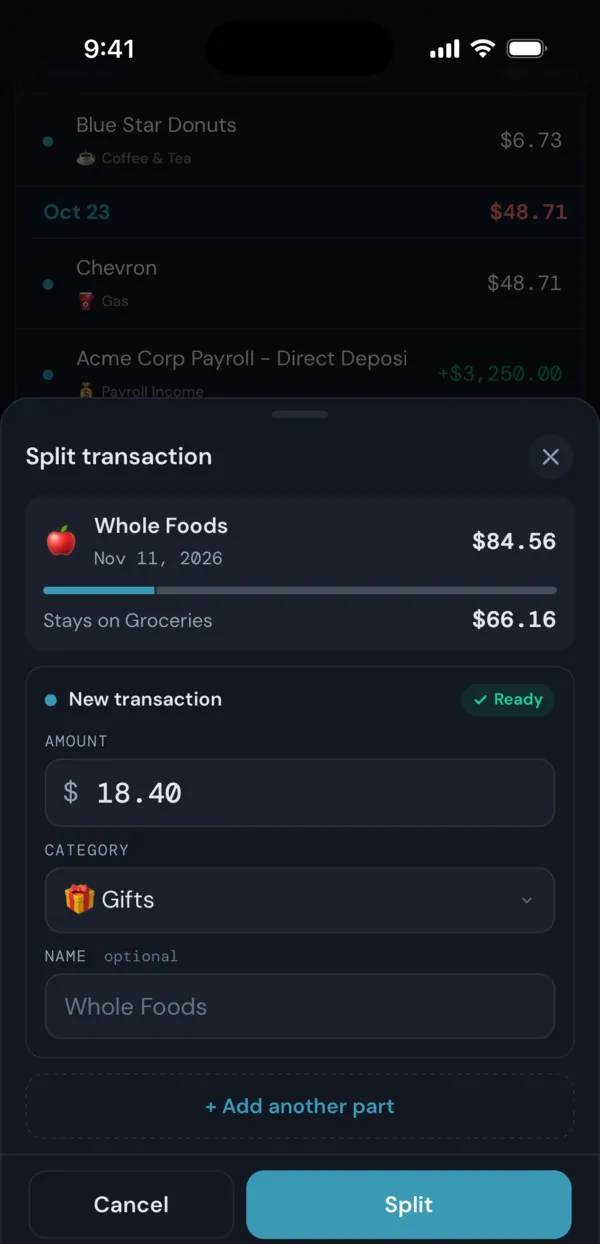
One receipt often covers two things. Split a $150 Costco charge into $110 of Groceries and $40 of Gifts, and each part gets its own amount, category and name. Whatever you do not split off stays on the original.
03 · Fixed and recurring goals
Goals you save for together
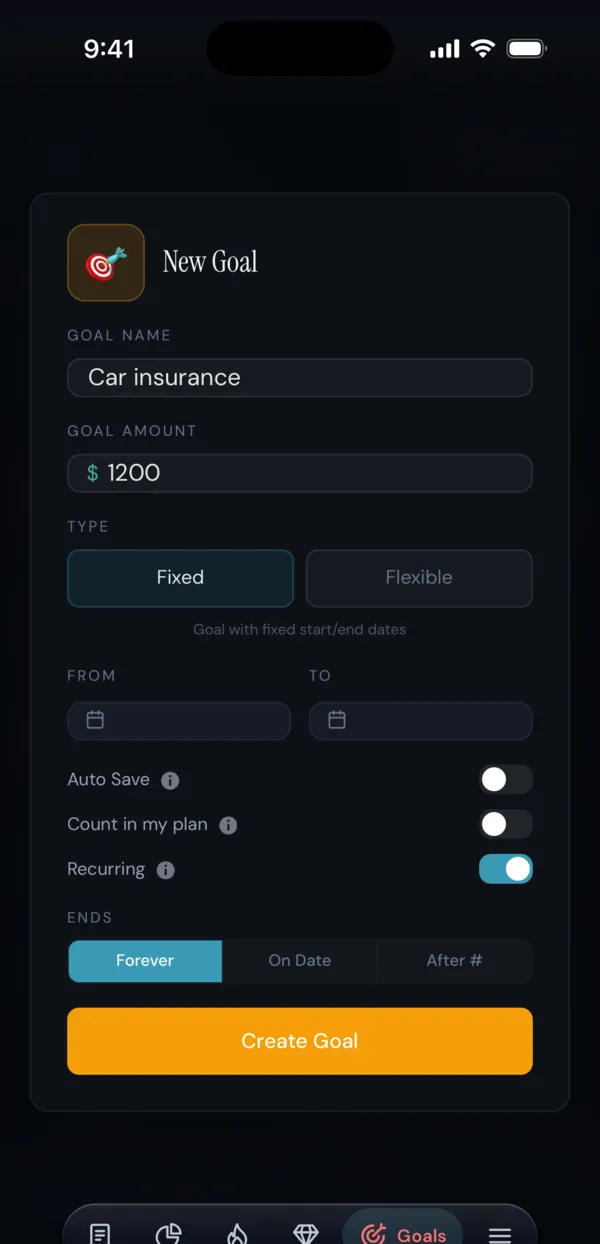
Goals are envelopes for money you are setting aside. A Fixed goal, like a trip, has a start and end date and shows how much a day you need to finish. A Flexible goal has no dates.
Turn on Recurring for something that comes back, like car insurance or holiday gifts. When the goal ends it starts again with the same length and amount. No money moves between banks: FIYR keeps what the goal holds out of Safe to Spend.
04 · Daily brief
One morning summary for the household
The daily brief and alerts cover every account that counts in FIYR, joint accounts included. The brief arrives at 7:30 AM by default, and alerts tell you when a category or the month is running ahead of your budget or your usual.
Because there is one login, notifications go to the devices where your FIYR account is signed in and notifications are on.
05 · FIYR Rewind
Your year, for both of you
FIYR Rewind plays your year back as a short story. With a partner added and enough data behind it, it includes a Who spent screen with spending by owner.
Good to know
- Owners are labels inside one FIYR account. Your partner does not get a separate login or a separate view.
- Owners only appear once you add a partner. On your own, FIYR hides them.
Phone screenshots are from the FIYR iPhone app on the demo account, so the numbers are sample data. The iPhone app is coming soon to the App Store; the same screens work in your phone’s browser at fiyr.app today.