01 — BUDGETS
A budget for every category.
Give any category a monthly budget and FIYR checks every transaction against it as it lands — so you always know what's left, what you've overspent, and exactly where the money went.
FIYR links your banks, cards and investments and tracks every dollar you spend and own.
30 days free, then $6.40/mo billed yearly. Cancel before day 30 and you pay nothing.
| Labels | Goal | 💳 |  S | ||||||
|---|---|---|---|---|---|---|---|---|---|
| Dec 24, 2025 $371.02 | |||||||||
Select goal | | ☕Coffee & Tea▲ | |||||||
Select goal | S | 🍎Groceries▲ | |||||||
Japan Trip | 🗾Japan trip | S | 🏨Hotels & Lodging▲ | ||||||
| Dec 23, 2025 $65.00 | |||||||||
Select goal | S | ⛽Gas▲ | |||||||
work | Select goal | | 🍔Eating Out▲ | $2.40 tip | |||||
| Dec 21, 2025 $7.50 | |||||||||
Select goal | S | ☕Coffee & Tea▲ | $1.00 tip | ||||||
THE ONLY NUMBER THAT MATTERS
YOUR PROJECTED FIRE DATE
Inside the app, your plan also counts taxes on withdrawals, loans and family costs, so your real date may be later.
Savings rate, Coast FIRE and Lean/Fat targets: open the full FIRE calculator →
On iPhone
Screens from the FIYR iPhone app on the demo account, so every number is sample data. They work today in your phone’s browser at fiyr.app.
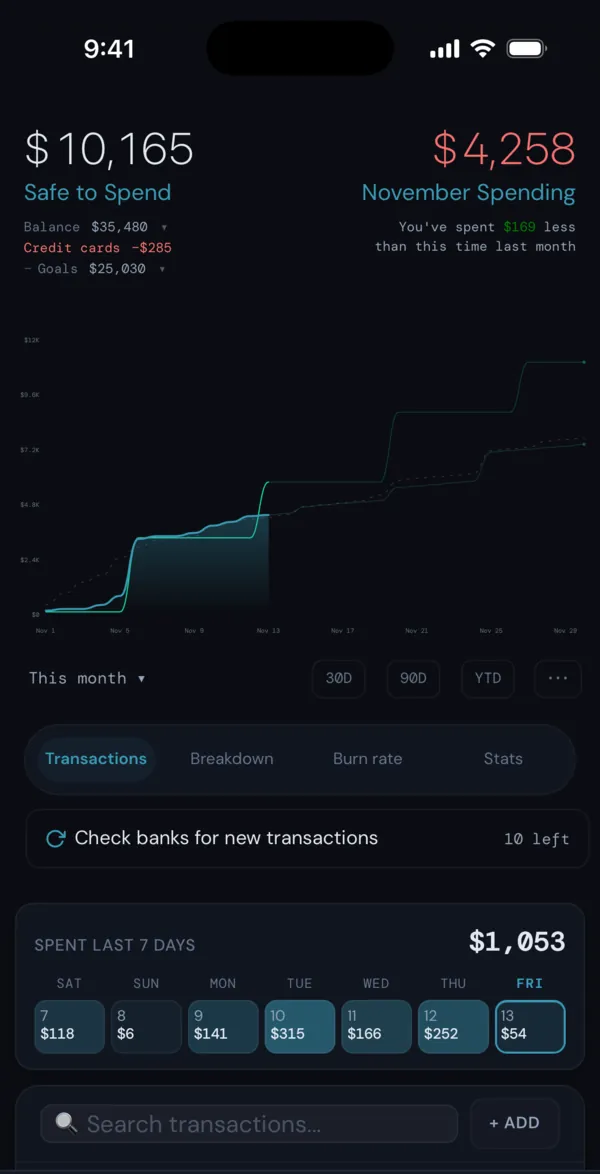
Transactions
Safe to Spend and this month’s spending at the top, then every transaction.
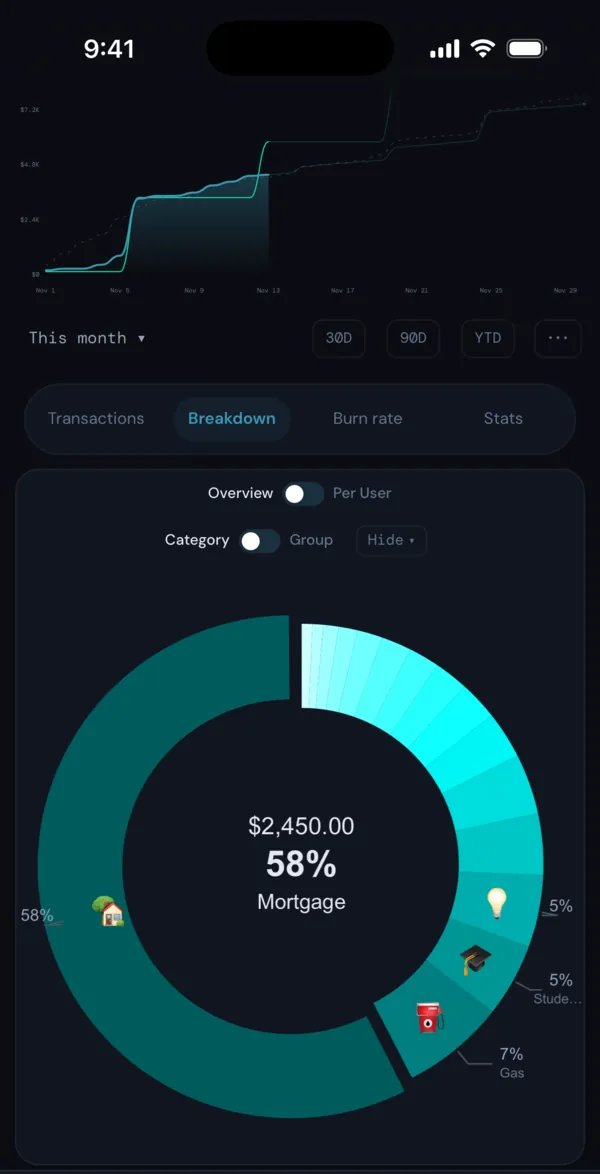
Breakdown
Where the month went, one category at a time.
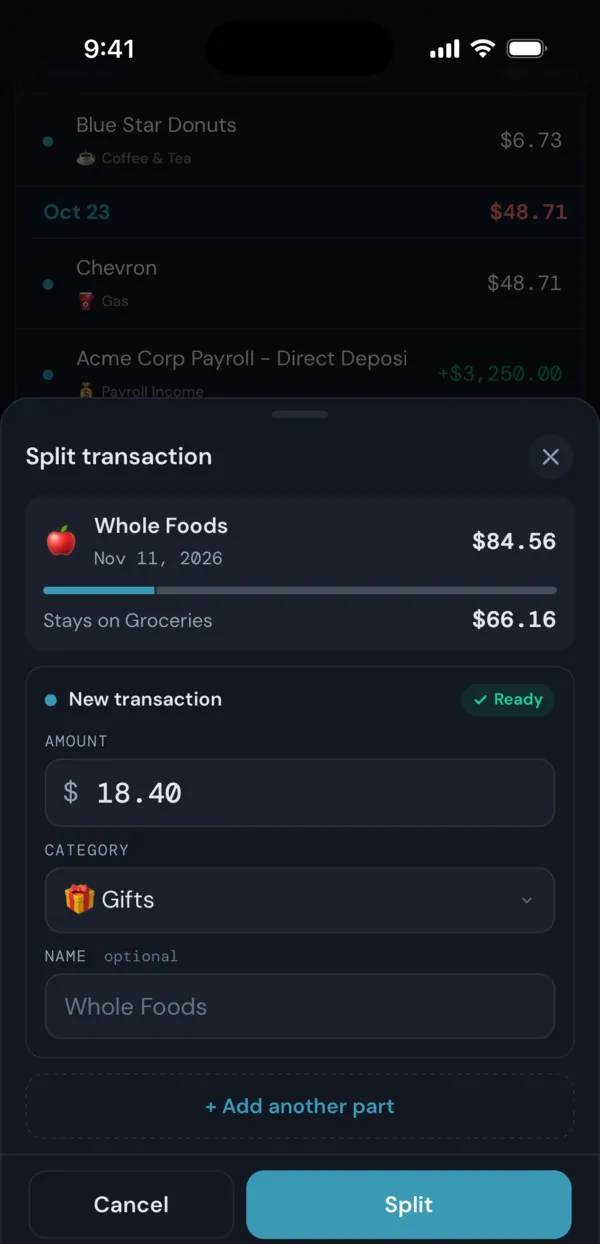
Split transaction
Split one charge into parts with their own amounts and categories.
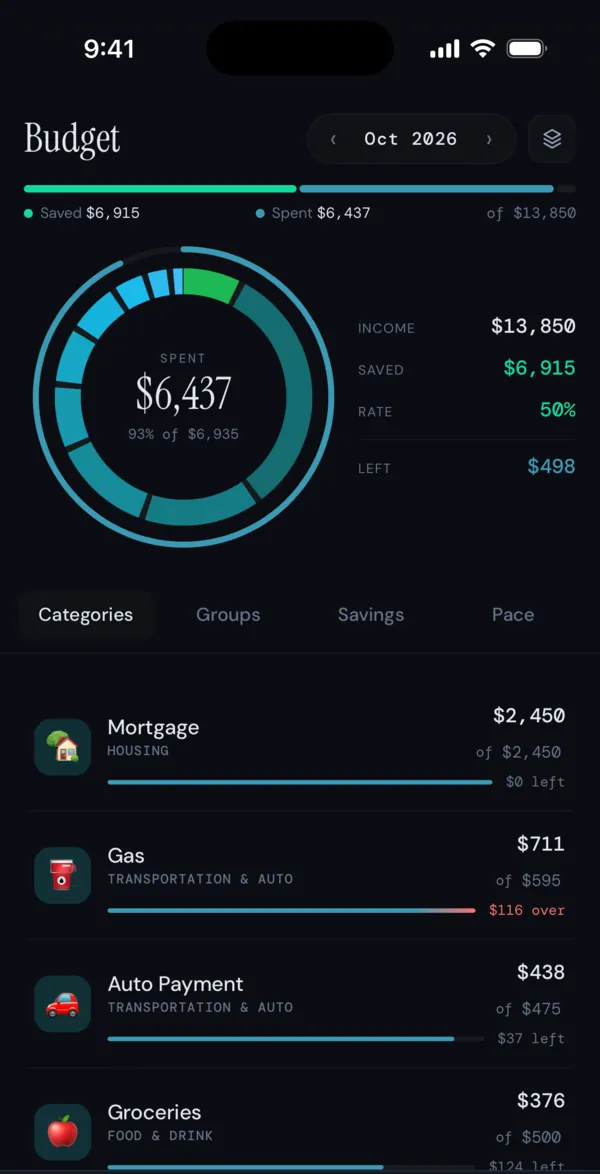
Budget
Each category against its budget, with what is left or over.
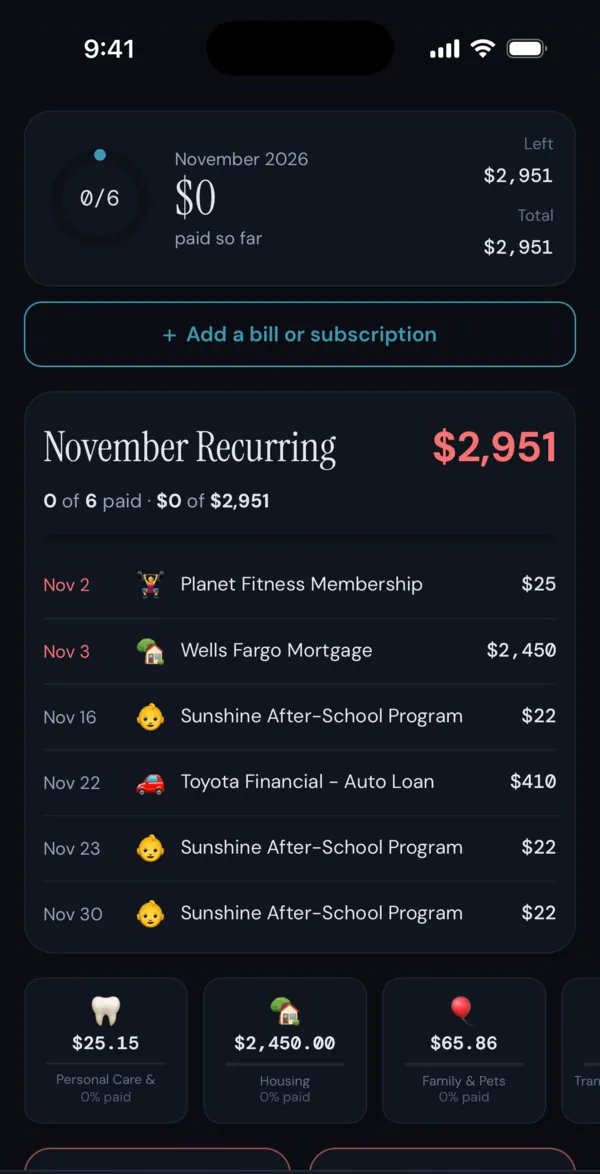
Recurring
This month’s bills and subscriptions, found for you, and what is still to be paid.
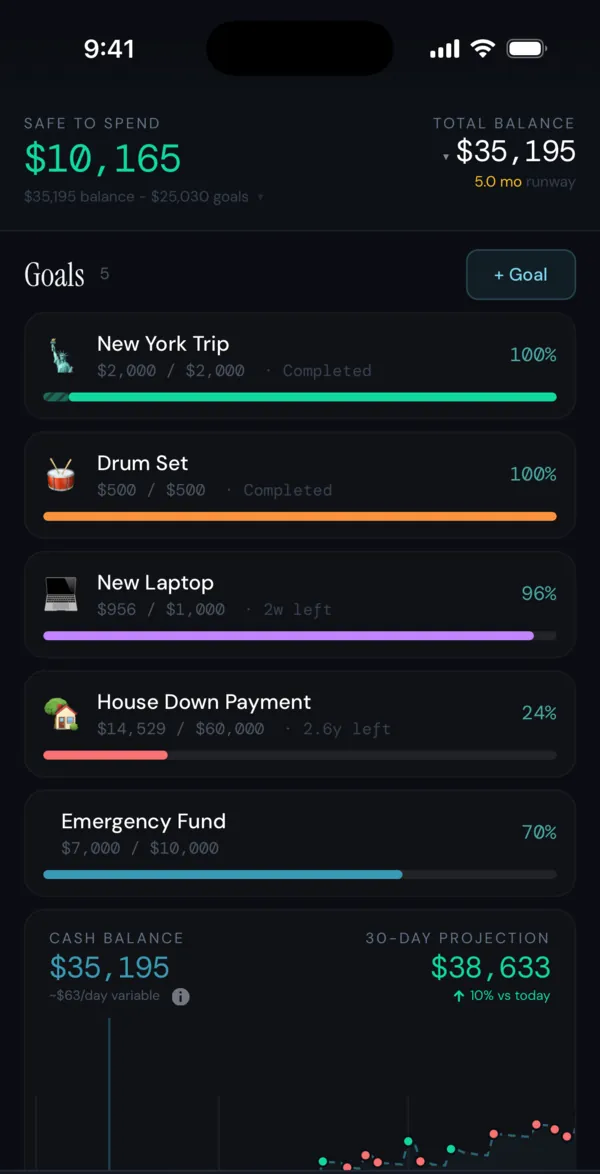
Goals
Every goal’s progress, with Safe to Spend above it.
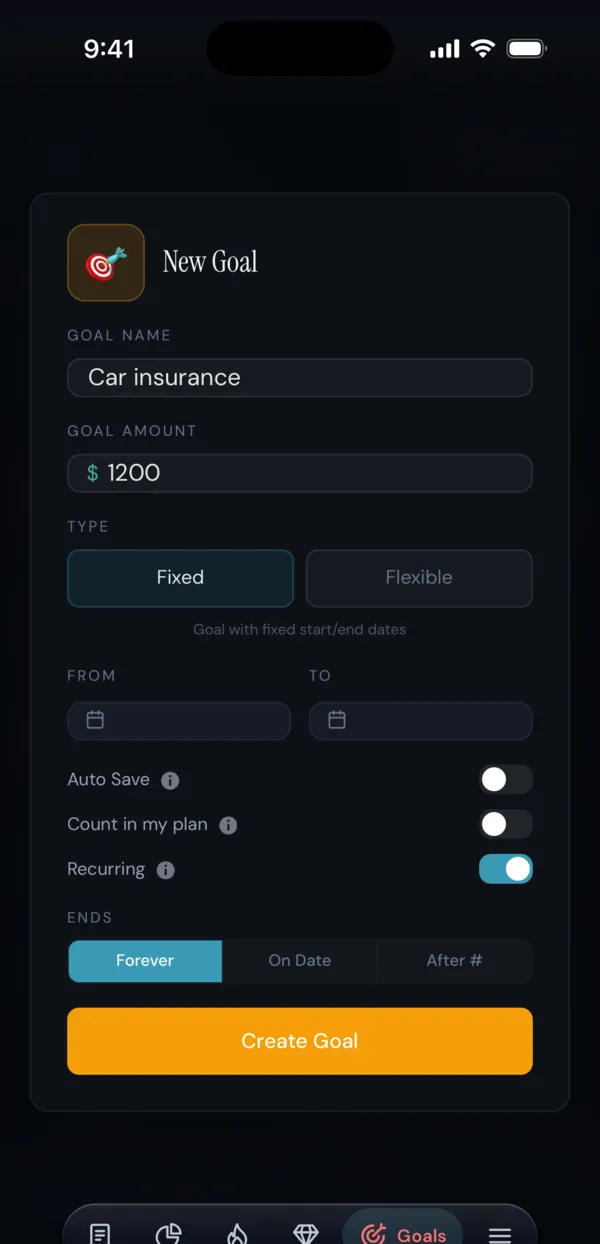
New goal
Fixed goals with dates, and Recurring ones that start again on their own.
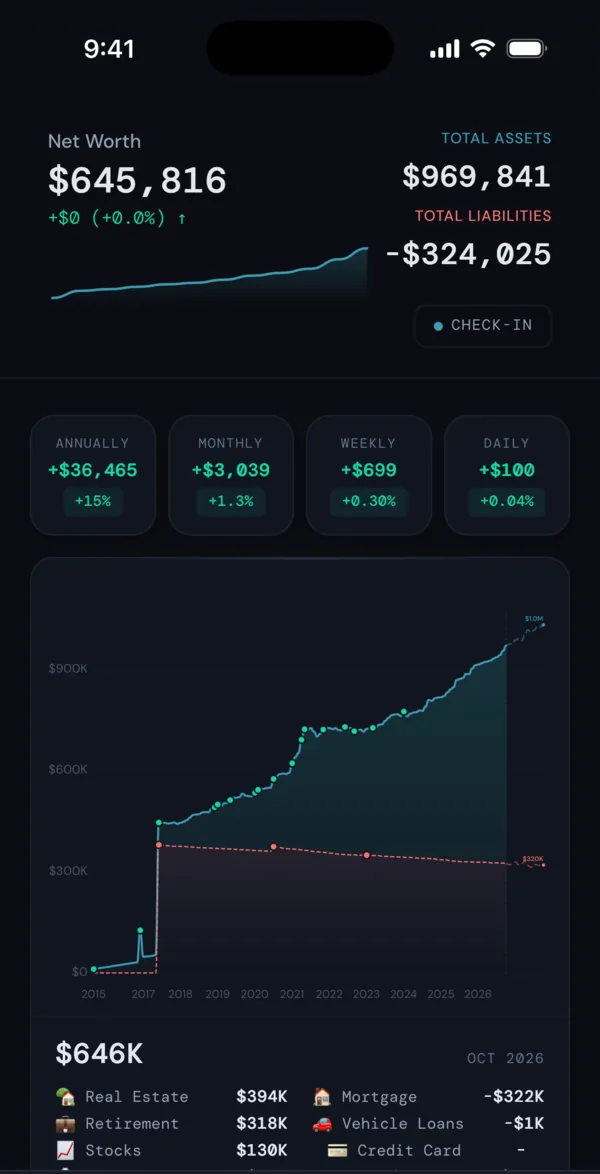
Net Worth
Assets, loans and how your net worth has moved over the years.
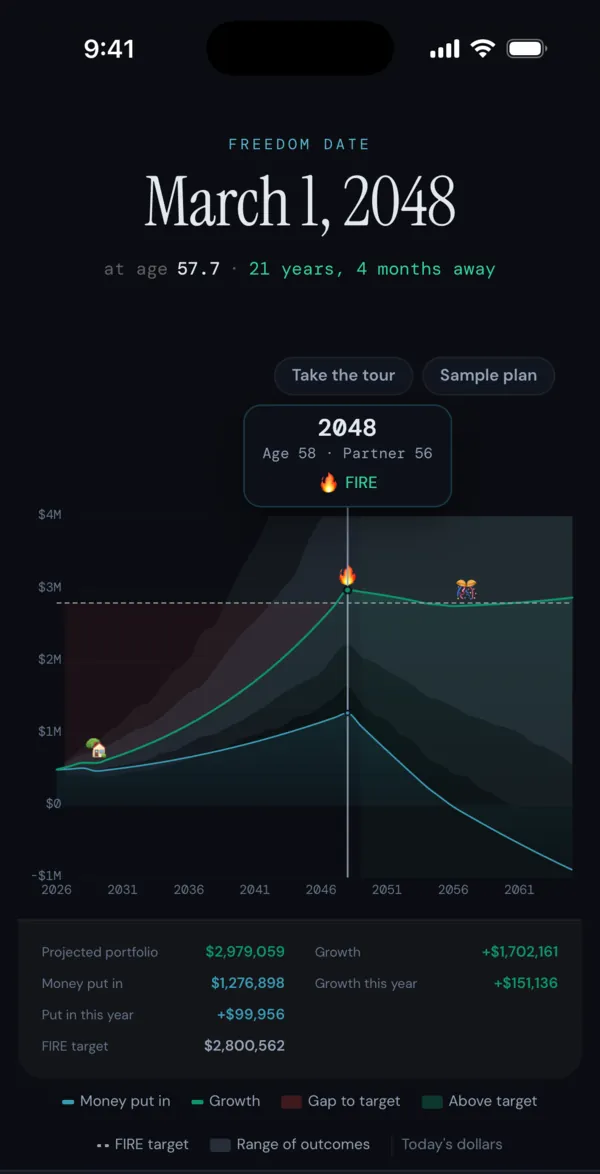
Freedom Date
The day your money could pay for your life, worked out from your accounts.
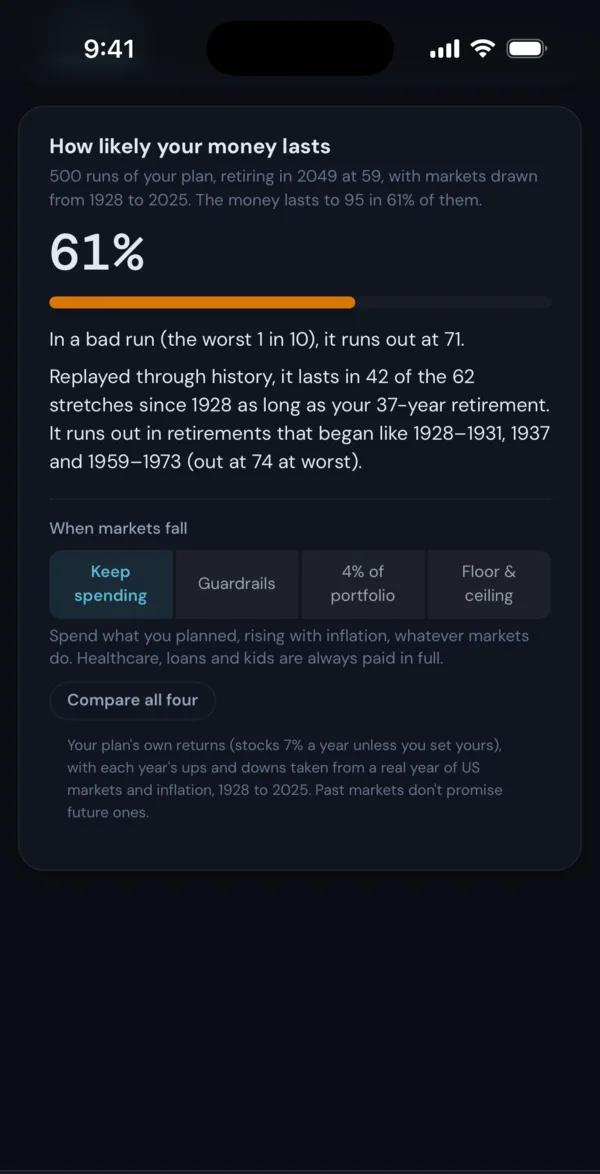
How likely your money lasts
Your plan run through market history since 1928, and how often the money lasts.
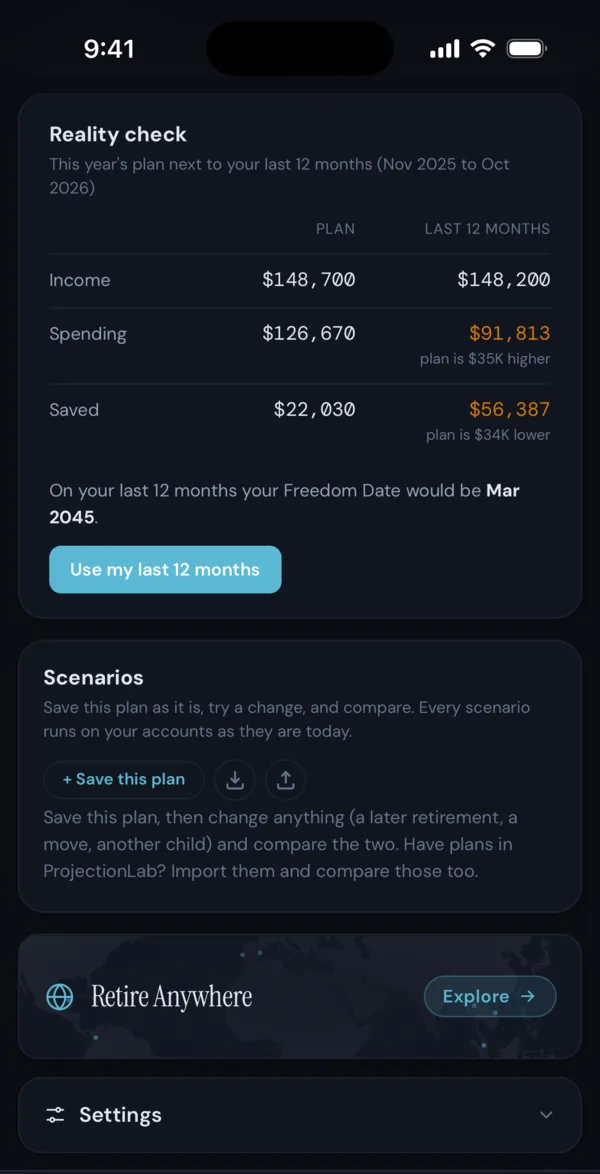
Reality check
This year’s plan next to what you actually earned, spent and saved.
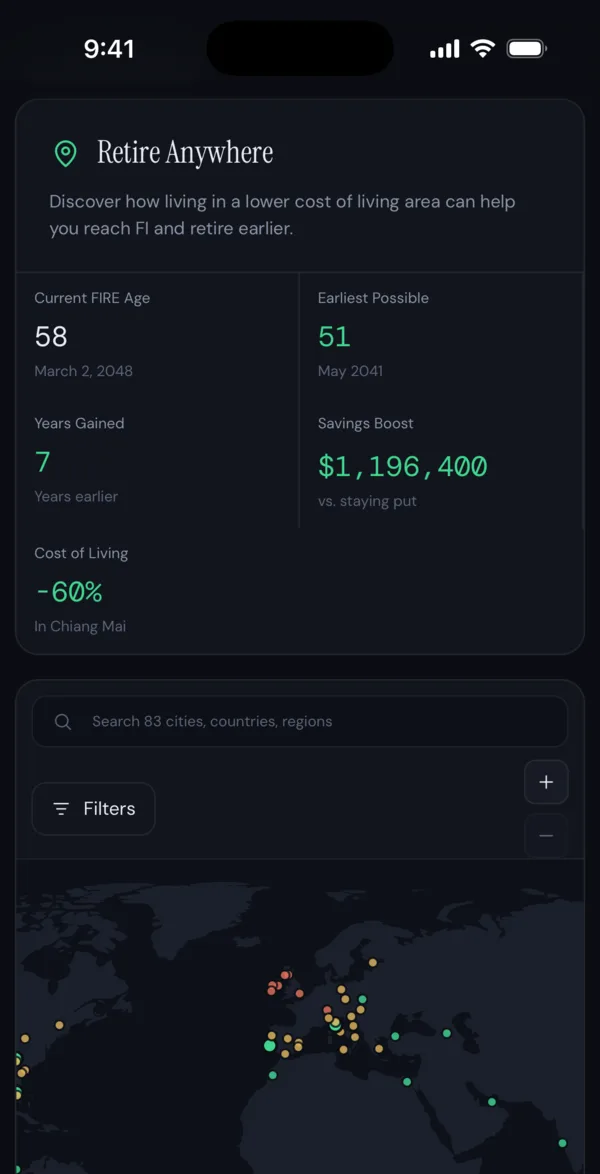
Retire Anywhere
How much sooner you could retire somewhere cheaper to live.
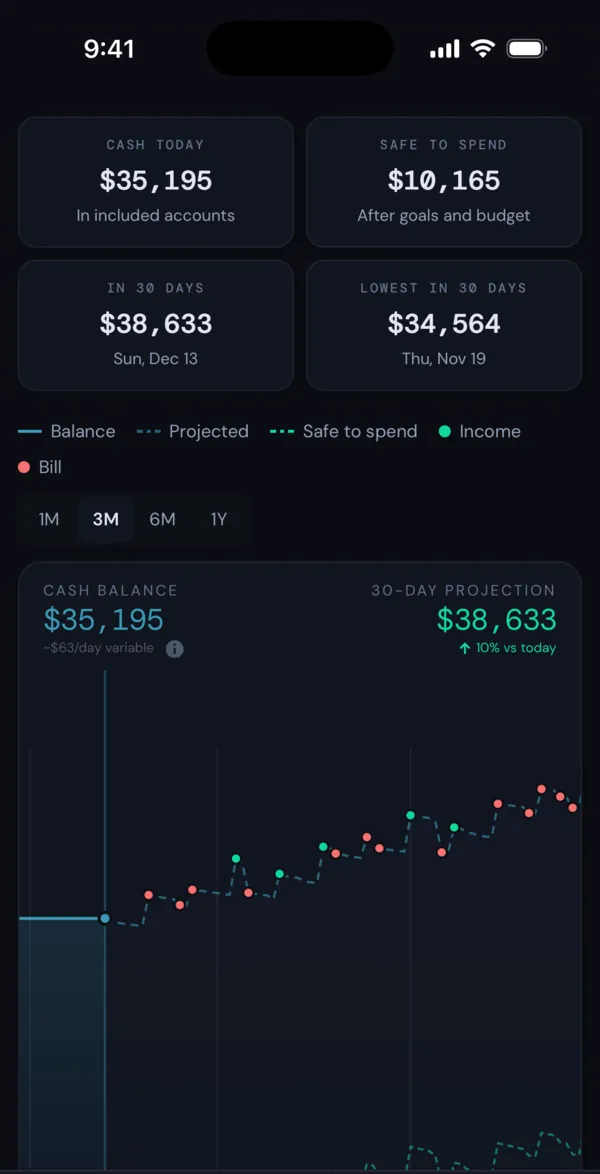
Cash Flow
Cash today and a 30-day projection with bills and paychecks marked.
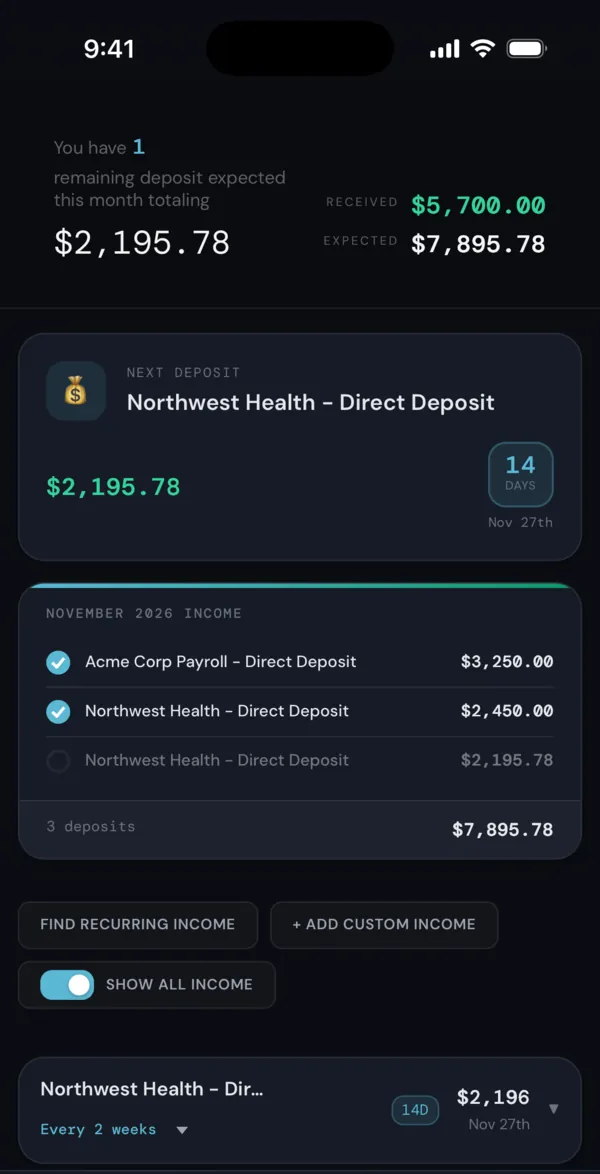
Income
Deposits received and expected this month, and when the next one lands.
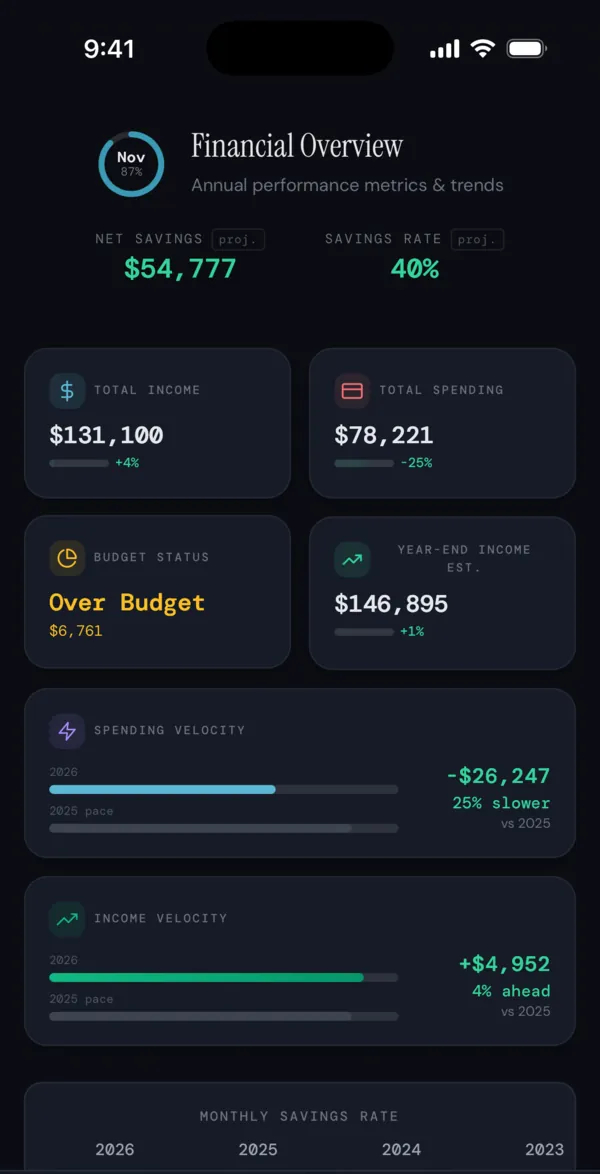
Summary
The year so far: income, spending and savings rate against last year.
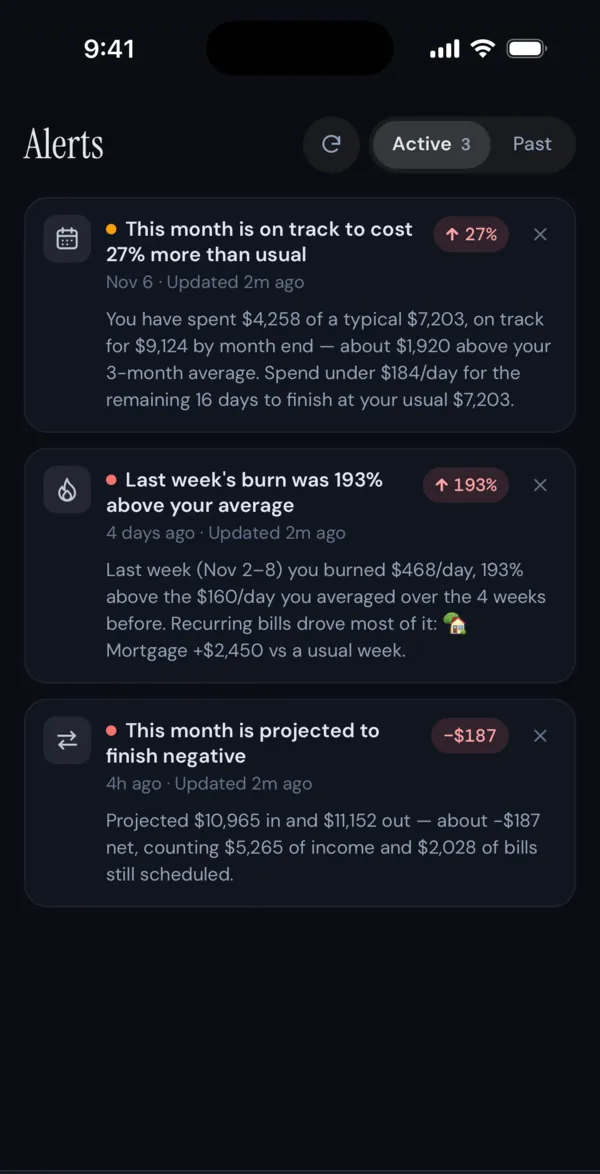
Alerts
A note when a category or the month runs ahead of your usual.
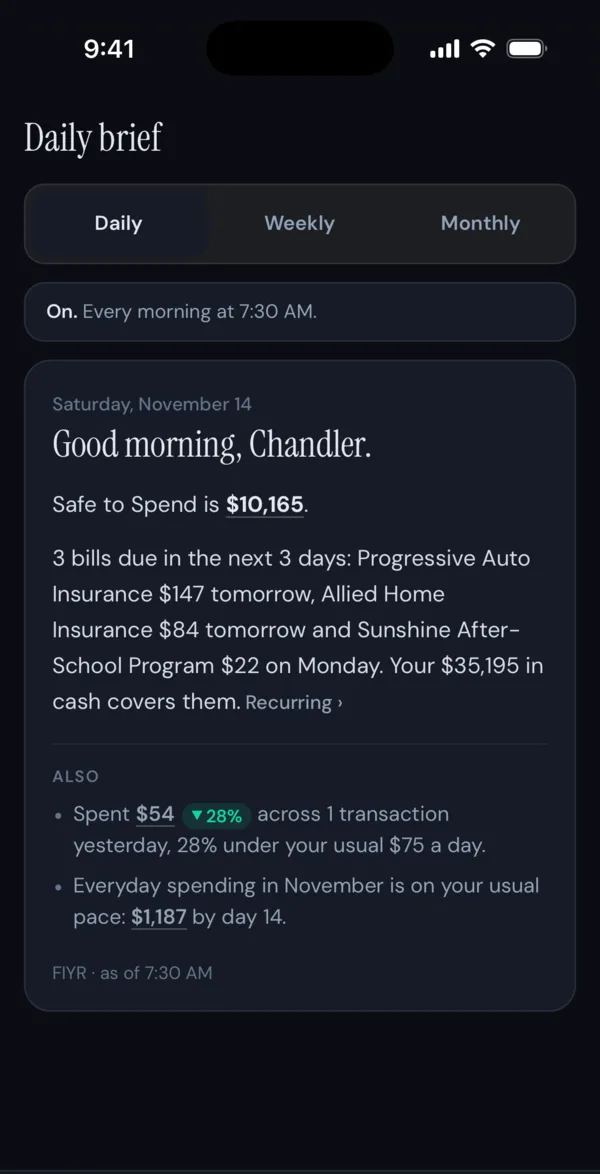
Daily brief
Each morning: Safe to Spend, bills due soon and anything that needs you. A weekly recap and monthly review too.
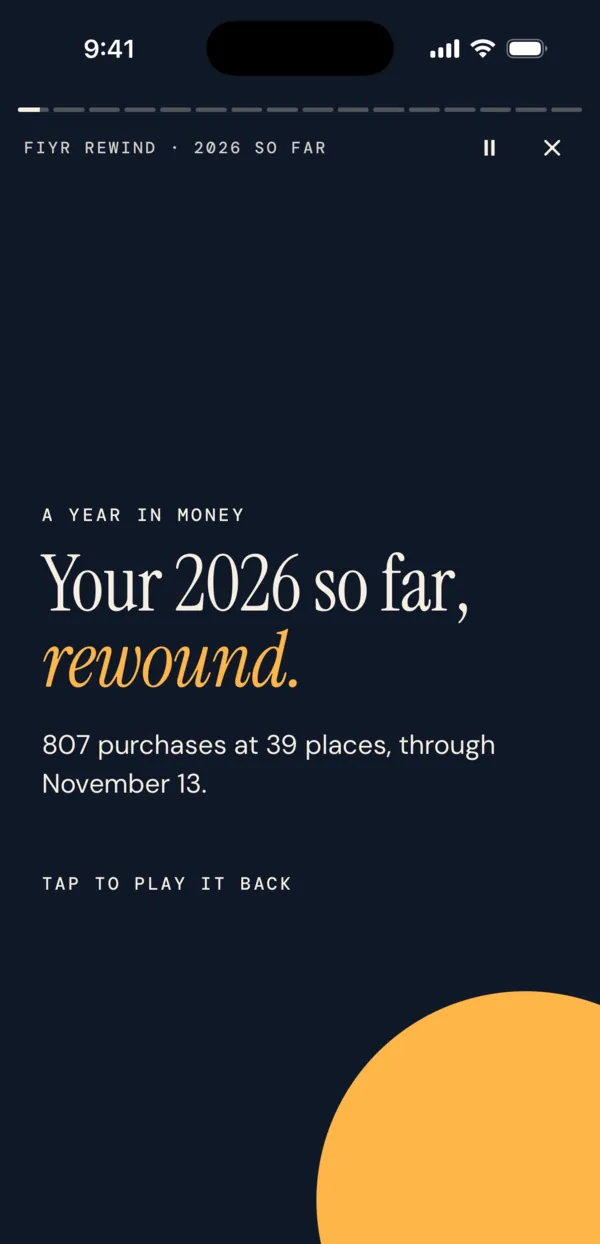
FIYR Rewind
Your year played back as a short story you tap through.
01 — BUDGETS
Give any category a monthly budget and FIYR checks every transaction against it as it lands — so you always know what's left, what you've overspent, and exactly where the money went.
02 — RECURRING
FIYR automatically detects your subscriptions and fixed monthly bills — the forgotten free trial, the quiet price hike, the renewal you meant to cancel. See what's already hit this month, what's still coming, and what it all adds up to.
 NetflixDec 9$15.49
 Disney+Dec 15$13.99
 SpotifyDec 22$11.99
03 — NET WORTH
Add any asset or liability you want — bank and brokerage accounts, a home, a car, crypto, loans — and FIYR charts your net worth, assets, and liabilities as they move, month over month.
EVERY DOLLAR HAS A JOB
SEE AROUND CORNERS
Know your balance next month, not just today.
The balance climbs ~$1,200/mo, yet goals keep auto-saving: safe to spend crosses $0 on Mar 13 — flagged 3 months ahead.
LABELS
A vacation isn't one category — it's flights, hotels, food, and a rental car, on three different cards. Tag it once and FIYR traces every dollar from the label down to the merchant.
Drop a label on any transaction — across categories, across accounts. By hand, or automatically with a rule.
Every tagged purchase flows into one view: the label's total, broken down by category, then by the merchants you actually paid.
The honest, all-in number for a trip or a project — not six scattered line items you'd never add up yourself.
Anything that doesn't fit a single category gets its own honest total.
ASK, DON'T DIG
Type a question, get a plain-English answer from your real numbers.
What do my subscriptions add up to?
Nine subscriptions come to $162.40 a month, or $1,948.80 a year. The gym alone is 28% of that.
Or ask the AI you already use. FIYR has an MCP connector, so Claude, ChatGPT or any app that supports custom connectors can read your FIYR accounts and answer there. It is read-only unless you allow changes, and you can disconnect it any time.
Demo data
See this with your own accounts. 30 days free.
What's in FIYR
Break one charge into parts, each with its own amount, category and name. A $150 Costco run can become $110 of groceries and a $40 gift.
How it works: Split transactionsAdd your partner and mark each account as yours, theirs or both. Every transaction gets an owner, and you can see spending per person. Your partner does not need a separate login.
How it works: Owners and shared accountsNew accounts come with a Business Expenses group, from Business Meals to Office Rent, plus a Business Income category. Rules can file business charges for you.
How it works: Business categoriesAdd, rename and reorder the groups your categories sit in, and choose what each one counts as: Spending, Income, Savings or Not counted. A Revenue group can count as income and an owner draw as not counted.
How it works: Your own category groupsSeven alert types watch whether a category or the whole month is on pace against your budget or your usual, and tell you when a bank stops syncing.
How it works: AlertsOne short read each morning: Safe to Spend and how it moved, yesterday's spending, bills due in the next 3 days and how the month is pacing.
How it works: Daily briefA Fixed goal has a start and end date and shows what you need to save each day. Turn on Recurring and it starts again with the same amount, for bills like insurance.
How it works: Fixed and recurring goalsYour year played back as a short story: what you spent and kept, your regular spots, the trips you took and how your Freedom Date moved.
How it works: FIYR RewindLight, dark or follow your device, with four color themes for each: Warm, Paper, Mist or Sage in light, and Midnight, Graphite, Black or Espresso in dark. Your choice follows you to every device.
How it works: Custom themesTurn on two-factor authentication in Settings and every sign-in also asks for a 6-digit code texted to your phone, after your password or Google or Apple sign-in.
How it works: Two-factor sign-inConnect your own scripts, dashboards and automations in Settings, Developer. A key reads FIYR and makes only the changes you tick, and webhooks tell your tools when something changes. A key can never move money or see your bank login.
How it works: API keys and webhooksYou do not have to wait for the next sync. Refresh transactions asks your banks for anything new right away, and whatever they have shows up in FIYR within a minute or two. You get 10 refreshes a month, on top of the automatic syncs that run a few times a day.
How it works: Refresh transactionsSee how FIYR fits couples, professionals and business owners.
SECURITY AND PRIVACY
FIYR is paid for by subscriptions. Here is what it can see, what it can't, and how to leave.
Bank access
You sign in to your bank inside Plaid's window. FIYR gets read-only access and never sees your password.
Business model
Your financial data is never shared with advertisers.
Security
Your data
SettingsProfileDelete account…
Erases your data, disconnects your banks and cancels your subscription. It works even after your subscription ends.
The details are in our privacy policy.
PRICING
30 days free · cancel anytime
Billed as $76.80/year
Start free trialWith $85,000 saved at 32, you're 59% of the way to Coast-FIRE — the point where 7% growth alone carries you to $1,350,000 by 65, even if you never saved another dollar.
Everything you need to know about managing your money with FIYR
30 days free. Cancel before day 30 and you pay nothing.
No data selling · No ads · No hidden fees